TV Remote Control
Galixo.AIHouse & Home
4.420.00 Reviews
- Version
- 1.2.3
- Installs
- 500.00K
- Age Rating
- Everyone
Screenshots
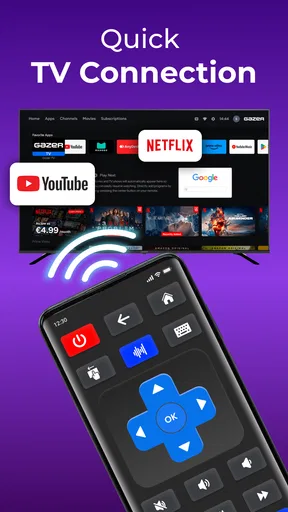
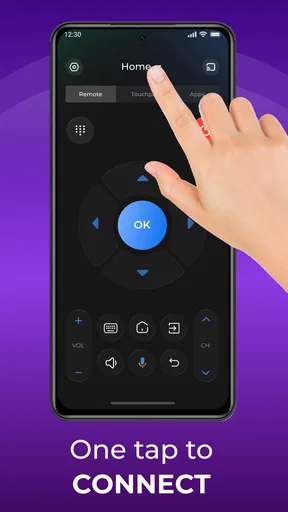
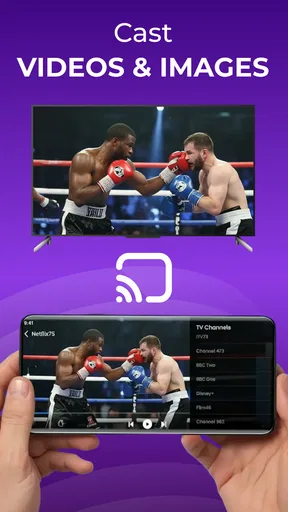
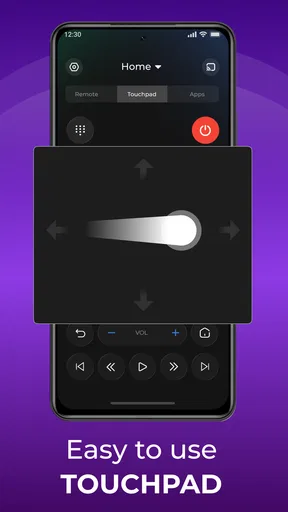
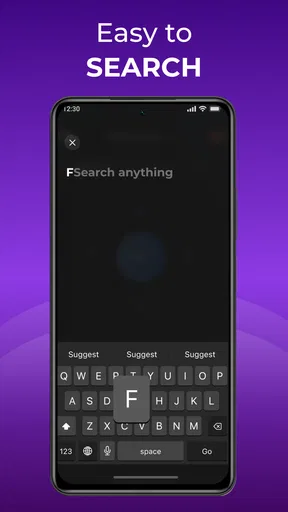
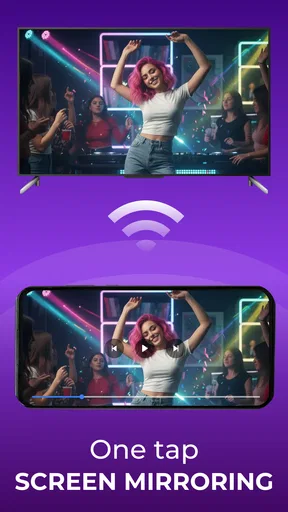
Our Review of TV Remote Control
 Analysis by Appyee
I tend to be skeptical of phone-based remotes. They look convenient when the physical controller is missing, but many become clutter on the phone after the first few days. TV Remote Control, developed by Galixo.AI, makes a better first impression because it combines remote control with casting, mirroring, and voice control. That gives it a more practical reason to stay installed than a simple button replacement.
My main question after using an app like this is not whether it can turn the television on or move through a menu once. The real test is whether it becomes quicker than reaching for the original remote, whether it behaves predictably during ordinary evenings, and whether its extra tools are useful often enough to justify keeping it around. In that respect, this free House & Home app is appealing, though its long-term value depends heavily on how often you use the connected-TV features rather than only the basic controls.
From an impressive first week to a daily habit
The first week is where TV Remote Control has its strongest advantage. A phone is usually nearby, and using one device for navigation, casting, mirroring, and voice input feels tidy. If the physical remote has disappeared between sofa cushions, has a weak battery, or is simply inconvenient to grab, the app offers an immediate fallback. It also makes sense in a shared room where several people already carry their phones and do not want to pass one controller around.
I particularly like the idea of switching between ordinary remote work and content-related tasks without changing devices. A traditional remote remains excellent for quick volume changes and directional navigation, but it is less comfortable when I want to send something from my phone to the television or mirror what is on the handset. The app brings those activities closer together, which is more meaningful than adding another decorative remote layout.
The voice-control option is another first-week attraction. Voice input can be faster than repeatedly pressing directional buttons when I know what I want to find. It is most useful for occasional searches, opening a destination, or avoiding long text entry. I would not treat it as a complete replacement for every physical interaction, because voice commands are naturally less appealing when the room is noisy or other people are sleeping. Still, it changes the app from a backup controller into a more flexible way to interact with a smart television.
Setup is the point at which expectations should remain realistic. A phone remote is not magic; the phone and television need to communicate in a compatible way, and the experience depends on the connected devices in the home. That means the app is a better fit for someone who already has a smart-TV routine than for someone expecting it to operate any television regardless of its capabilities. I would install it with the television nearby, check the connection promptly, and avoid waiting until an important viewing moment to discover that the devices need attention.
During the first few days, I would also test the functions I actually expect to use. Move through menus, adjust sound, try a search with voice control, and see whether casting or mirroring fits the way you consume content. This is a useful habit because the app’s value is not evenly distributed across all users. Someone who only needs a power button and volume control may find the phone less direct than a physical remote, while someone who frequently sends media from a handset may appreciate the broader workflow.
Where the app earns its place at home
A realistic everyday scenario is a family evening when the original controller is in another room. One person can use the phone to pause or adjust the volume while another continues preparing food, and nobody has to interrupt the routine to search for the remote. In a smaller household, the benefit may be even simpler: the phone is already in hand while browsing, so sending something to the larger screen feels like a natural next step.
Mirroring can also be useful when the television is the easiest screen for showing something to other people. Photos, a page, or a piece of content that is awkward to pass around on a small display can become more visible. I would use this selectively rather than assuming it should replace every form of sharing. Mirroring is most valuable when the larger screen adds comfort or visibility; it is less compelling when everyone is already looking at their own phone.
One non-obvious advantage is the reduction of small interruptions. A physical remote encourages a separate search-and-retrieve action, while a phone remote can remove that step when the handset is already beside me. Over several evenings, that convenience can matter more than any single advanced feature. The trade-off is that the phone must remain available and sufficiently charged, so the app transfers a little responsibility from batteries and buttons to the device I carry throughout the day.
The app is free to install, which makes experimentation easy. It is intended for Everyone, and its current version is 1.1.8, running on Android 9 or later. Those details make it accessible to a broad range of Android users, but accessibility should not be confused with universal compatibility. The practical question is still whether the television setup at home cooperates with the app’s remote, casting, mirroring, and voice-control workflow.
What remains useful after the novelty fades
After the first month, the novelty of controlling a television from a phone will probably disappear. That is not necessarily a problem. Good utility apps should become boring in the best sense: I open them because they solve a small problem quickly, not because I want to admire the interface. TV Remote Control has a reasonable chance of reaching that stage when its casting or mirroring tools are part of a regular routine.
For me, the strongest long-term case is a household that frequently moves between phone content and television content. If I cast several times a week, the app has a recurring role. If I occasionally mirror a screen for another person, that adds a second reason to keep it. Voice control can provide a third, especially for searches that would otherwise involve slow on-screen typing. These uses reinforce one another and make the app more than an emergency replacement.
The basic remote function has a different kind of value. It is dependable as a spare, particularly when the original controller is misplaced. A spare tool may be used only occasionally but still deserve space because it prevents a frustrating interruption. That makes the app worthwhile even for people who do not cast every day, provided they are comfortable using a phone instead of a dedicated remote when the need arises.
At the same time, I would not keep it installed solely because the idea sounds modern. If the television’s own remote is always within reach and I never mirror or cast, the phone adds another layer between me and a simple action. A conventional controller has tactile buttons, can be used without unlocking a phone, and does not compete with notifications or a low battery. For this type of user, the app may be useful as insurance rather than a permanent daily tool.
The store presence suggests that the app has found a meaningful audience, with an average rating of 4.4 from around 1.4 thousand ratings and more than 100 thousand installs. I read those figures as encouraging rather than decisive. Remote applications can feel excellent in one home and awkward in another because the surrounding television setup changes the experience. The size of the audience makes it easier to consider, but my own device pairing and daily habits matter more than popularity.
The maintenance that determines whether it lasts
Maintenance is not only about updating an application. It is also about keeping the connection routine understandable. If I need the app once every few weeks, I want to remember immediately how to reach the remote and reconnect it. An app that requires repeated discovery, confusing device selection, or a fresh learning curve each time will lose its value as a backup, even if its feature list looks impressive.
My practical advice is to establish a small routine after installation. Keep the app in an obvious folder, test the remote while the television is on, and try the features that matter to the household before relying on them. If several people use the television, each person should know the basic path to the controls. This is a specific advantage of testing early: it turns an emergency tool into something familiar instead of leaving everyone to troubleshoot during a film.
Phone maintenance matters too. A remote app is less convenient when the handset is nearly out of power, locked away, or being used for a call. I would not remove the physical remote just because this app works. Keeping both options is sensible: the phone is better for casting, mirroring, and voice-assisted interaction, while the physical controller remains the fastest fallback for simple button presses.
There is also a financial detail worth considering. The app is free, but in-app purchases range from $7.99 to $29.99 per item. That does not automatically make it poor value, but it means I would first decide whether the free experience already covers my routine. A purchase makes more sense only when the app has become a regular tool and the added value is clear to me. I would avoid paying simply to preserve the excitement of trying a new remote.
This is one of the more important long-term trade-offs. A free installation lowers the barrier to testing, while optional spending can make the decision more deliberate. Someone who wants a basic backup may prefer to stay with the free experience. Someone who relies on the broader smart-TV workflow may be more willing to consider an in-app purchase, but should judge that against the cost and convenience of alternatives already available through the television or phone.
Where daily use can become tiring
The main source of fatigue is the phone itself. A physical remote is always ready, has a familiar shape, and gives feedback through the fingers. A phone remote asks me to look at a screen, open an app, and manage a device that also contains messages and other distractions. That extra attention is minor once, but it can become irritating when I only want to lower the volume quickly.
Voice control has its own limits. It is attractive when typing is slow, yet it is not ideal in every room. Background conversation, television audio, pronunciation differences, or the desire for quiet can make button navigation preferable. I see voice control as a shortcut, not a commandment. The app is more convincing when voice input complements the remote rather than pretending to replace every other method.
Casting and mirroring can also encourage overuse. They are useful when the phone is the source of what I want to see, but unnecessary when the television already provides a direct route. Mirroring can be especially excessive for content designed for a small screen or for situations where the television’s native application gives better control. The smart choice is to use the phone as a bridge only when it genuinely reduces steps or improves visibility.
Another fatigue point is shared access. A dedicated remote is communal by default, while a phone-based controller belongs to one person at a time. In a household, this can create small negotiations over whose phone is controlling the screen. The app works best when the group accepts that arrangement or when more than one person is comfortable using it. It is less suitable for a busy family that needs a single controller everyone can grab instantly.
Privacy and attention are practical considerations even without making dramatic assumptions. Using a phone for voice input or mirroring means I should be conscious of what is visible or audible around other people. I would avoid mirroring sensitive material in a shared room and would use voice commands thoughtfully when conversations are happening nearby. These are not reasons to reject the app; they are reasons to use its advanced tools with the same judgment I would apply to any connected device.
Who should use it and who should pass
I would recommend TV Remote Control to Android users who regularly cast from a phone, want mirroring available in the same general tool, or often lose track of the physical remote. It is also a sensible choice for people who prefer voice-assisted searches and do not mind reaching for their phone. The combination of functions gives it a more durable purpose than a remote-only utility.
I would be more cautious for someone with a simple television setup and a perfectly reliable physical controller. If the only desired action is changing volume, the dedicated remote is likely to remain faster. I would also hesitate to make this the sole controller in a household where several people need immediate, shared access or where phone battery and availability are frequent problems.
Compared with the television maker’s own remote application, TV Remote Control is attractive when I want a broader phone-centered toolkit rather than a narrowly branded control experience. A manufacturer-specific option may be preferable when a household wants the most direct integration with one television brand. Compared with a universal physical remote, this app offers casting, mirroring, and voice control without adding another piece of hardware, but it loses the tactile simplicity and shared accessibility of physical buttons.
Compared with using each television service independently, the app can reduce the need to switch between separate ways of interacting with the big screen. That convenience is real, but it should not be exaggerated. The app does not make every television workflow automatically simpler; it is most useful when the phone is already central to the activity. The best alternative depends on whether the household values a unified phone experience, brand-specific integration, or the reliability of a physical controller.
The developer, Galixo.AI, positions the app in a practical home category rather than as a game or entertainment novelty. I think that is the right way to judge it. Its success is measured by fewer small annoyances, easier movement between phone and television, and a setup that remains understandable after several weeks. Those are modest goals, but they are exactly what can make a utility worth keeping.
My long-term verdict
TV Remote Control earns a place on my phone when I use its full range of functions. The first-week appeal comes from convenience: the handset is already nearby, and remote control, casting, mirroring, and voice input sit within one app experience. The month-to-month value comes from repetition, especially for homes where phone content regularly moves to the television.
Its limitations are just as clear. A phone is not as immediate or communal as a physical remote, voice control is situational, and advanced features only matter when they match real habits. The optional purchases also deserve restraint; free installation is a good reason to test the app, not a reason to assume every paid option will be worthwhile.
My recommendation is to try it during a normal week rather than judging it after one impressive demonstration. Use it for everyday volume changes, a few searches, a casting session, and a genuine mirroring situation. If those actions remove friction, keep it installed and make it part of the home routine. If it only replaces buttons you already use more comfortably on a physical controller, uninstalling it is reasonable.
Overall, I see this as a useful free Android app with a credible long-term role, but not an automatic replacement for every remote. Its lasting value comes from the complete phone-to-TV workflow, not from remote buttons alone. For the right household, that is enough to move it from emergency backup to regular utility; for everyone else, it remains a convenient option to keep available when the original controller goes missing.
Privacy and Permissions
See what permissions an app requests and how it handles your data.
- Photos/Media/Files
- read the contents of your USB storage
- Storage
- read the contents of your USB storage
- Camera
- take pictures and videos
- Microphone
- record audio
- Wi-Fi connection information
- view Wi-Fi connections
- Other
- view network connections, allow Wi-Fi Multicast reception, full network access, control vibration, prevent device from sleeping, Google Play license check
Verdict
Strengths of TV Remote Control
- Works with many popular TV brands and models.
- Simple interface makes basic controls easy to find.
- Useful replacement when the physical remote is missing.
- Quick access to volume, channels, input, and power controls.
- No extra hardware is needed on compatible devices.
Limitations of TV Remote Control
- Requires an IR blaster or compatible smart TV connection.
- Compatibility may vary between TV models and manufacturers.
- Some features may be limited behind ads or in-app purchases.
- Phone and TV usually need the same Wi-Fi network for pairing.
- Frequent remote use can drain your phone’s battery.
Similar Picks in This Category
View All
Universal TV Remote Control
CodeMatics Media Solutions3.9

AlfredCamera Home Security app
Alfred Systems Inc.4.7

Planner 5D: AI Home Design
Planner 5D4.5

Universal Tv Remote-Cast to TV
One Music Player4.1

Zillow: Homes for Sale & Rent
Zillow Group4.8

99acres Buy/Rent/Sell Property
infoedge.com4.3
Frequently Asked Questions
What is TV Remote Control and how does it work?
TV Remote Control is a mobile application that turns your Android or iPhone into a remote for a compatible television. After installing it, you generally connect your phone and TV to the same Wi-Fi network, select the television from the available devices, and use on-screen buttons for power, volume, channels, navigation, and input selection. The exact setup depends on your TV brand and the features supported by your phone.
Is TV Remote Control compatible with every television?
Compatibility is not universal, so you should check your television brand and model before downloading. The app usually works best with smart TVs that support network-based remote control, while some phones may also control traditional televisions through an infrared sensor. Certain functions, such as powering the TV on or launching individual streaming apps, can vary depending on the manufacturer, operating system, and permissions available on both devices.
Does TV Remote Control require Wi-Fi, Bluetooth, or an infrared sensor?
The connection method depends on the version of the app and your device. Most smart-TV remote applications require the phone and television to be connected to the same Wi-Fi network. Some Android phones with an infrared blaster can control compatible non-smart TVs without Wi-Fi, while Bluetooth support may be used during pairing on selected models. iPhones typically rely on Wi-Fi rather than infrared.
Is TV Remote Control free to use, and are there advertisements or in-app purchases?
The application may be available as a free download, but the free experience can include advertisements, limitations, or prompts to upgrade. Premium options may remove ads or unlock additional controls, such as keyboard input, touchpad navigation, channel shortcuts, and access to multiple televisions. Before subscribing or purchasing, review the app-store listing carefully because pricing, trial periods, and cancellation terms can change.
What should I do if TV Remote Control cannot find or control my TV?
First, confirm that the phone and television are connected to the same Wi-Fi network and that the TV is switched on or in a discoverable standby mode. Restarting both devices and reopening the application often resolves temporary connection problems. You should also disable guest-network isolation, check local-network permissions on iOS, and update the app and TV software. If the TV remains unavailable, its model may not be supported.
